 DayButler
First 3 months free
Students book themselves — in your own Telegram bot
A Telegram CRM for private tutors: a bot under your name shows your free hours, keeps lesson balances and sends reminders in each student’s language and time zone. All that is left for you is teaching.
No card needed. Setup takes about three minutes.
- Nothing for students to install
- No commission on lessons
- Any number of students

How it works
-
1
Create your bot
Open @DayButlerBot and answer a few questions. Telegram creates a bot under your name.
-
2
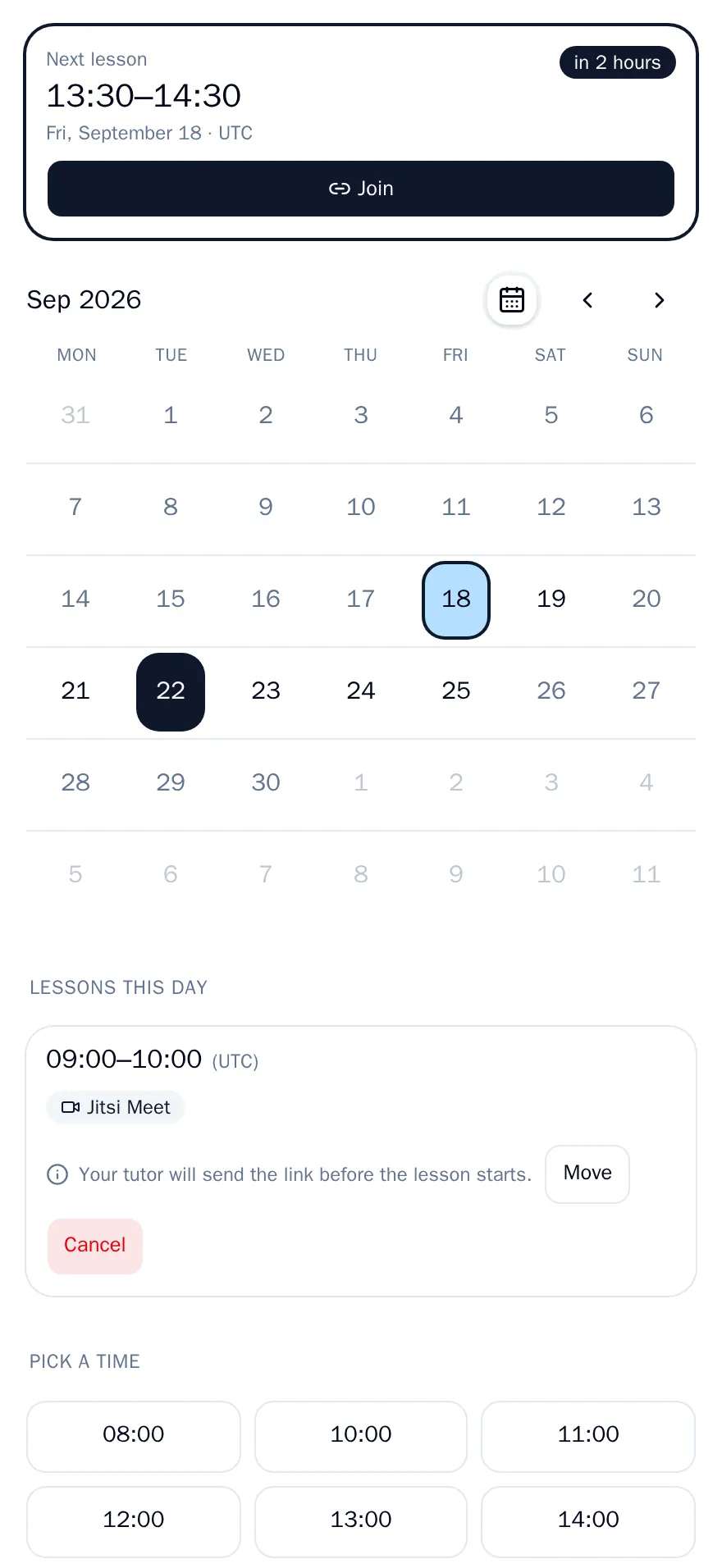
Send students the link
One link for all your students. A student opens it and sees your free hours right away, in their own time zone.
-
3
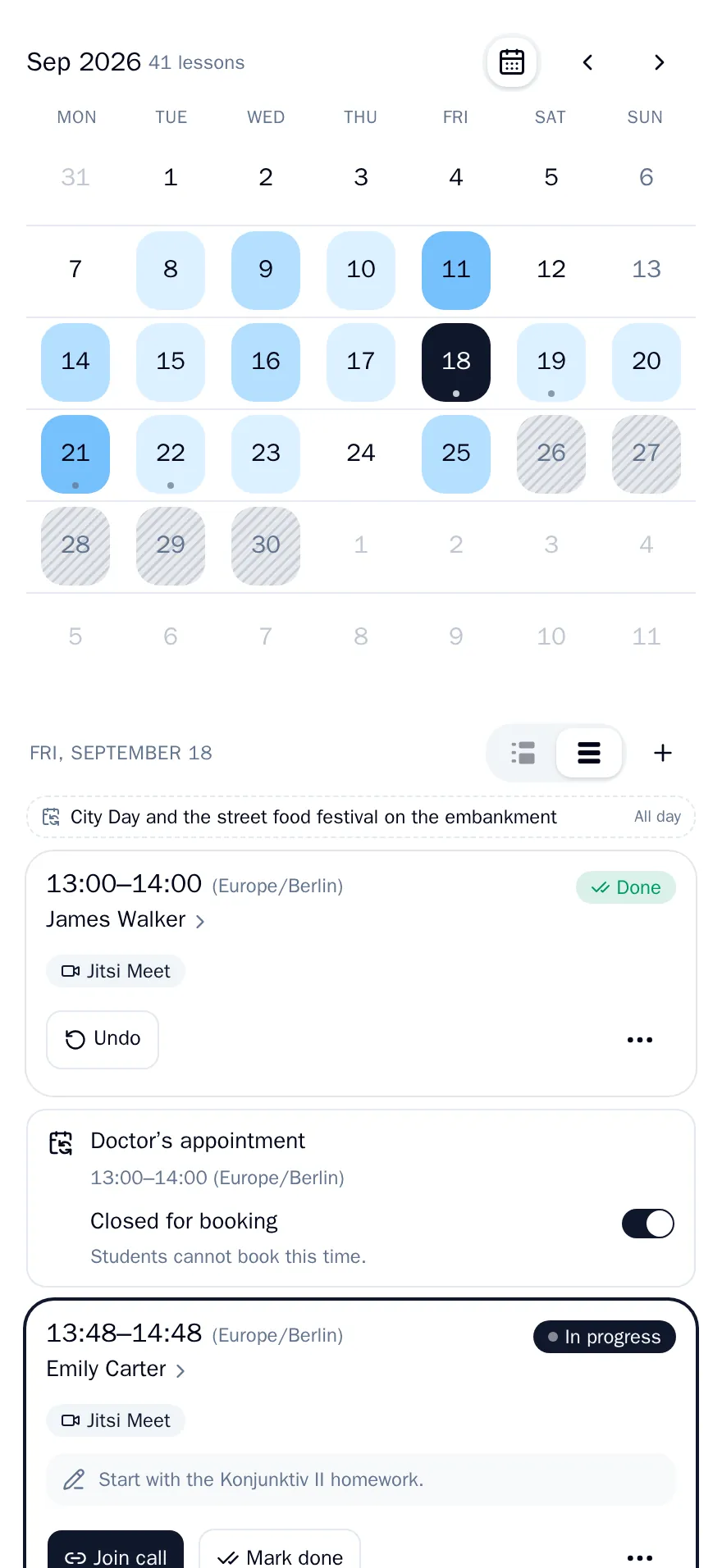
The bot does the rest
Students book, move and cancel lessons within your rules. The bot deducts lessons held and sends reminders, and you see everything in the cabinet.
What DayButler does for you
- A bot under your name
- Students book in your bot, not in someone else’s service. There is nothing to install: Telegram is enough.
- Booking without the back-and-forth
- You set your working hours and the rules: how far ahead a student can book and until when they can move a lesson. Students pick a time themselves.
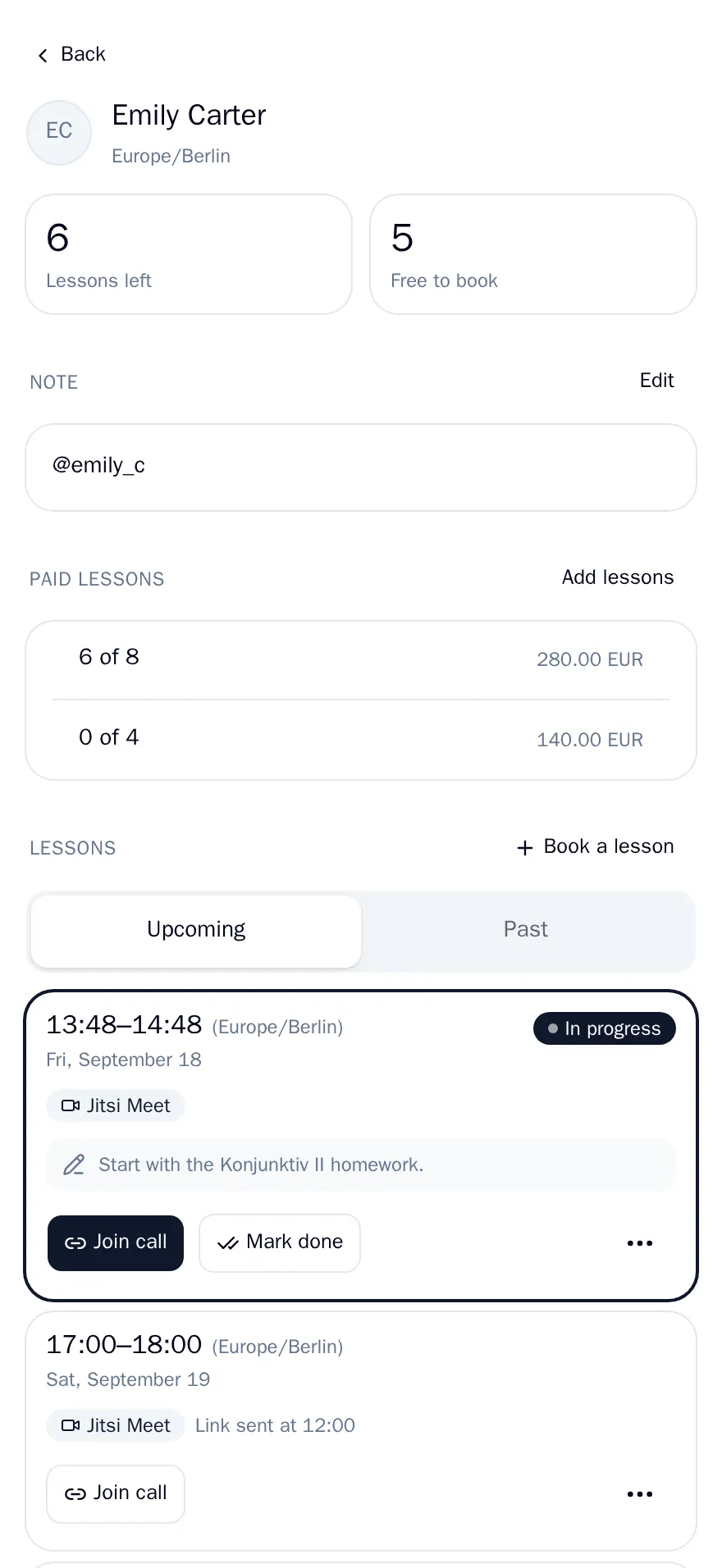
- Balances count themselves
- Add the lessons a student has paid for, and every lesson held is deducted automatically. Both you and the student see how many are left.
- Reminders for every lesson
- The student gets a reminder a day, two hours and 15 minutes before the lesson, together with the call link. You learn about every booking, move and cancellation right away.
- Time zones and languages
- A student in another country sees the schedule in their own time zone. The bot speaks each student’s language: English, Russian, Ukrainian, Polish.
- Notes, broadcasts, monthly summary
- Notes on every student, one message to all students at once, and a summary of each month.






DayButler takes no commission on lessons. Payments for lessons do not go through DayButler yet: students pay you directly, and the bot keeps track of the lessons paid for.
Your own calendar is part of the schedule
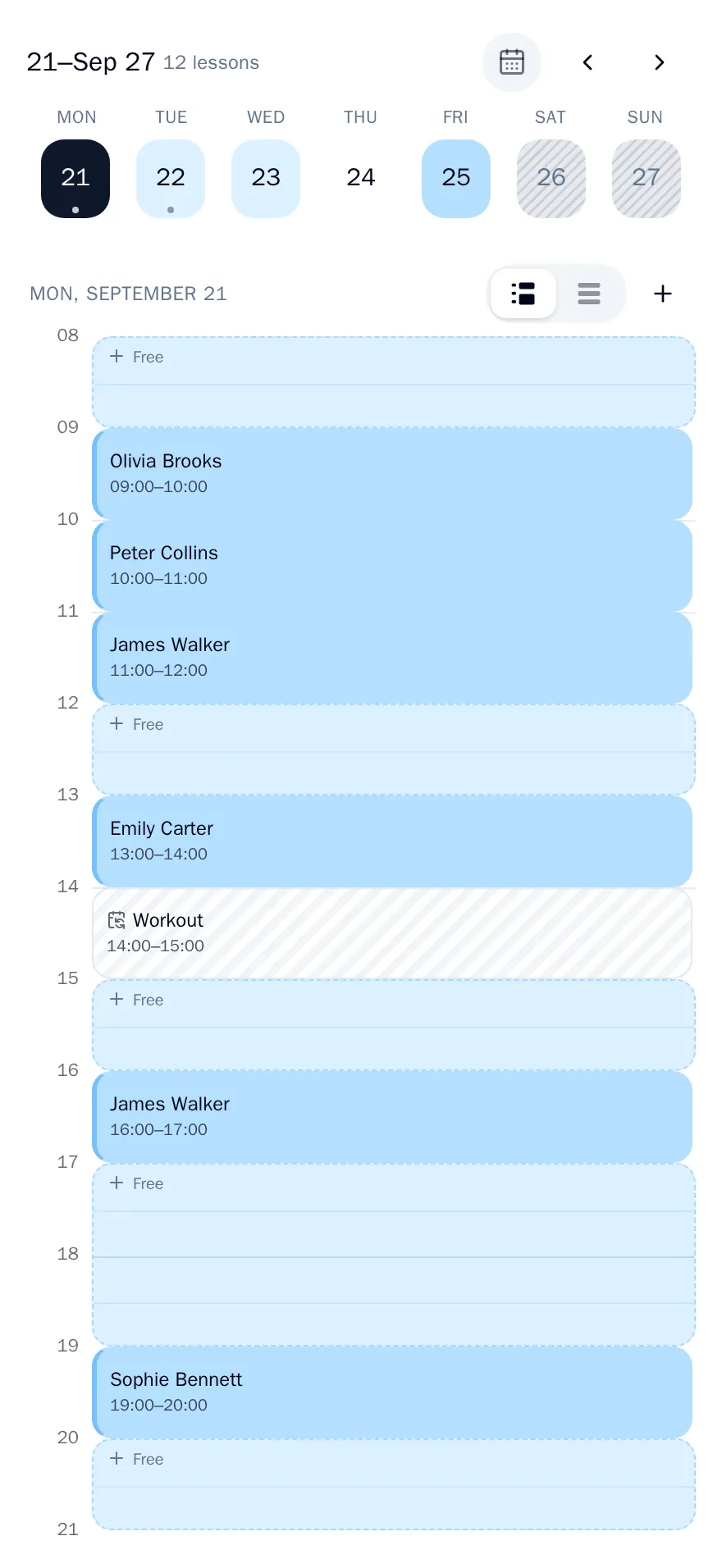
A student cannot book a time that an event in your own calendar has already taken. And lessons booked in DayButler add themselves to that same calendar.
Your events in the schedule
Connect a calendar from Google, Outlook, iCloud or Nextcloud by its iCal link. A meeting or a trip in it becomes busy time. Students see only the free hours.
Lessons in your calendar
A subscribe link adds your lessons to Apple or Google Calendar, next to everything else you keep there. New bookings, moves and cancellations show up there on their own.
Pricing
The first 3 months are free, no card needed. After that, a subscription: one price regardless of how many students you have.
Prices are in US dollars. Your country’s tax is added at checkout by Paddle.

Start for free
The first 3 months cost nothing, no card needed. A bot under your name is ready in three minutes.
Create your bot
Contact
For questions about the product, your subscription or a payment, write to support@daybutler.app or to @DayButlerBot in Telegram. Refund terms are described in the refund policy.